
Condition Reference
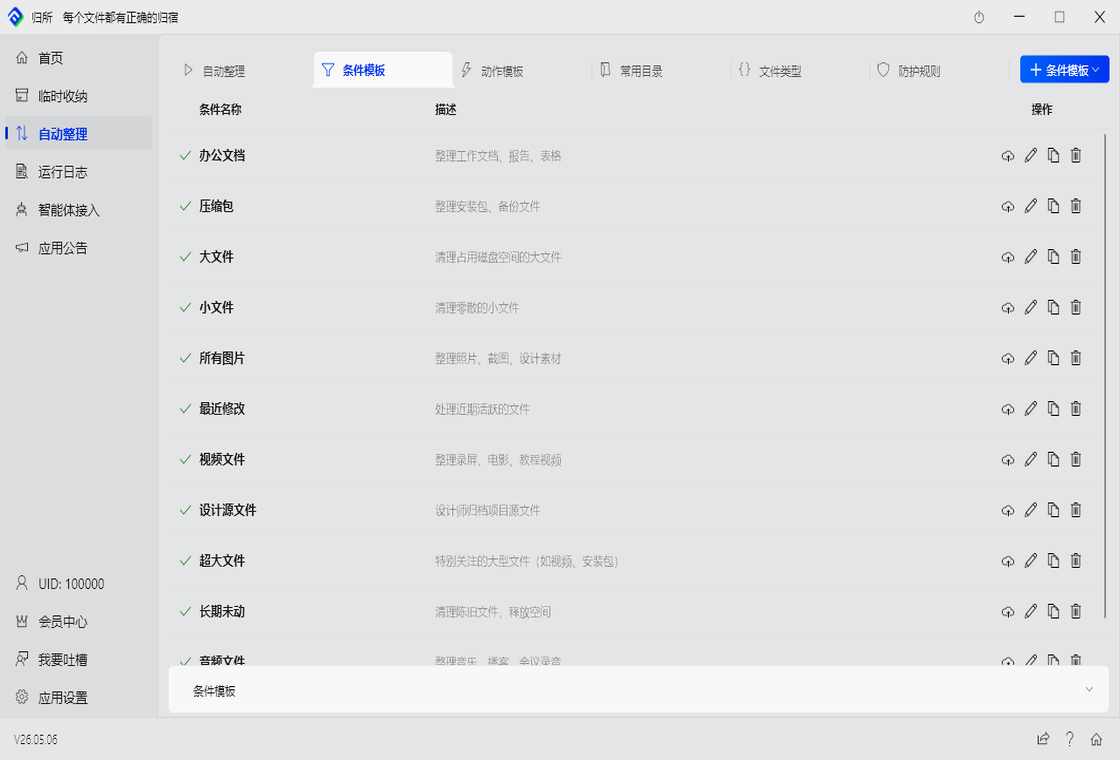
Conditions are the “filter” — they tell FinalPlace which files to process and which to skip.
7 Condition Types
Section titled “7 Condition Types”1. File Name
Section titled “1. File Name”Filter by the file’s name, not including the extension.
| Input | Effect |
|---|---|
report | File name contains “report” |
~$ | Starts with ~$ (Office temp files, currently open in Word/Excel) |
IMG_\d{4} | Regex: matches IMG_0001, IMG_1234, etc. |
Choosing an operator:
| Operator | When to use |
|---|---|
| Contains | Name has these characters |
| Does not contain | Name must NOT have these characters |
| Starts with | Name begins with… |
| Ends with | Name ends with… |
| Regex match | Precise pattern matching (advanced) |
2. File Extension
Section titled “2. File Extension”Filter by file format/suffix.
| Input | Effect |
|---|---|
pdf | PDF files only |
jpg,png,gif | All image types: JPG, PNG, GIF |
docx,doc,xlsx,pdf | Common office documents |
Tip: Use notContains with tmp,bak,cache to exclude temporary files.
3. File Size
Section titled “3. File Size”Filter by how large the file is.
| Input | Effect |
|---|---|
greater than 10MB | Files over 10MB |
less than 100KB | Files under 100KB |
equals 0 | Empty files |
Unit format: B / KB / MB / GB, case-insensitive, spaces allowed.
4. Created Time
Section titled “4. Created Time”Filter by when the file was first created.
| Input | Effect |
|---|---|
7d | Created within the last 7 days |
30d | Created within the last 30 days |
1h | Created within the last hour |
180d | Created about 6 months ago |
Typical use: modified time before 180d = “find files I haven’t touched in half a year, move to archive.”
5. Modified Time
Section titled “5. Modified Time”Same as created time, but tracks last modified instead.
Useful for cleaning up “zombie files” you haven’t touched in a long time.
6. File Attributes
Section titled “6. File Attributes”Filter by Windows file attributes.
| Attribute | Meaning |
|---|---|
READONLY | Read-only file |
HIDDEN | Hidden file |
SYSTEM | System file |
7. Path Exclusion (Advanced)
Section titled “7. Path Exclusion (Advanced)”Exclude files from specific paths, preventing them from matching this rule.
Example: Monitor the entire Downloads folder but skip the temp subfolder.
8. File Content
Section titled “8. File Content”Filter by content inside the file.
| Operator | Effect |
|---|---|
| Contains | Content has these characters |
| Does not contain | Content must NOT have these characters |
| Regex match | Pattern match the content (advanced) |
How it works: FinalPlace reads file content in streaming mode, decodes UTF-8, and matches keywords across lines. Supports up to 5 keywords and skips files over 100MB by default.
Note: If a file can’t be read (permission issues or binary files), this condition is simply skipped — it doesn’t affect other conditions.
Combining Conditions: Nested AND / OR
Section titled “Combining Conditions: Nested AND / OR”When one condition isn’t enough, combine multiple:
Example:
( extension is pdf OR extension is docx ) AND ( name contains "contract" )Means: “All PDF or Word docs with ‘contract’ in the filename”
In FinalPlace, this is done via nested condition groups, stored as JSON:
{ "isGroup": true, "logic": "OR", "items": [ {"type": "extensionFilter", "op": "contains", "value": "pdf"}, {"type": "extensionFilter", "op": "contains", "value": "docx"} ]}Regex Quick Reference
Section titled “Regex Quick Reference”In “File Name” and “File Content” conditions, when using the “Regex match” operator:
| Pattern | Meaning | Example |
|---|---|---|
^ | Start of string | ^IMG_ → files starting with IMG_ |
$ | End of string | \.pdf$ → files ending with .pdf |
\d{4} | 4 digits | IMG_\d{4} → matches IMG_0001 |
.* | Any characters | report.* → files containing “report” |
[abc] | Any one in brackets | [0-9] → any single digit |
Common Condition Combinations
Section titled “Common Condition Combinations”| Scenario | Condition Setting |
|---|---|
| All images | Extension: jpg,jpeg,png,gif,bmp,webp |
| New files this week | Created time: 7d |
| Videos over 100MB | Size: greater than 100MB |
| Exclude temp files | Extension notContains: tmp,bak,cache,~ |
| Office temp files | File name startsWith: ~$ |