
How to Auto-Organize Computer Folders with FinalPlace
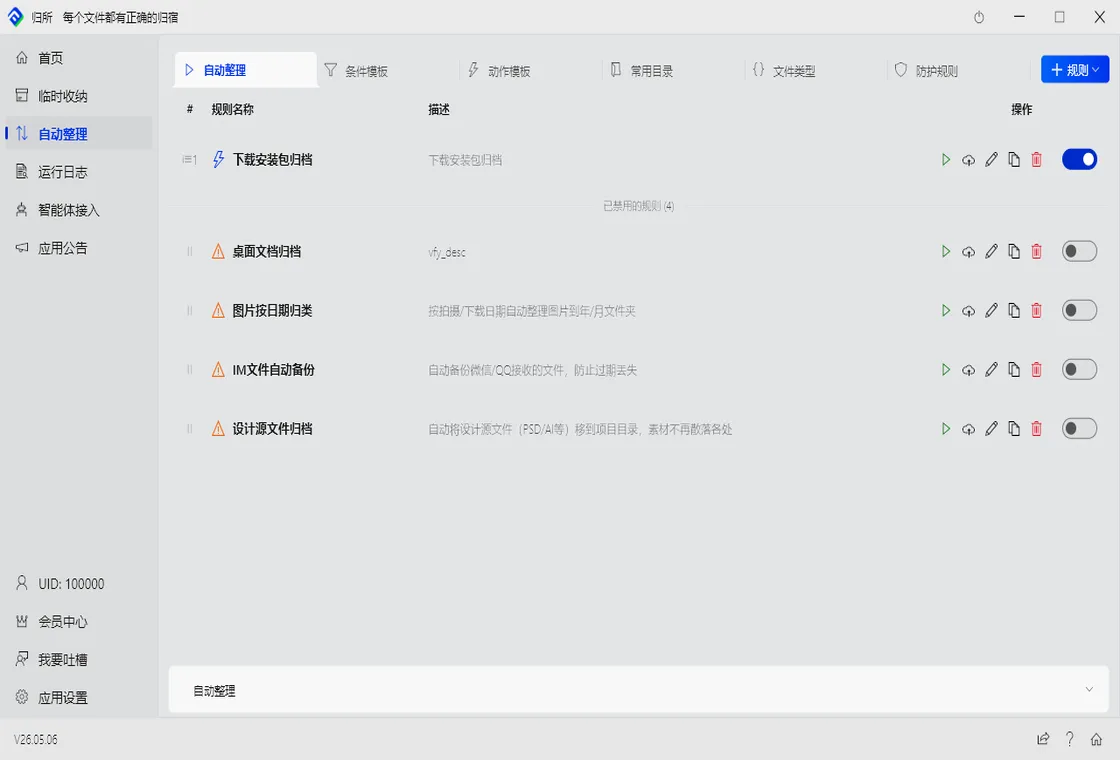
What’s on your desktop right now?
If you’re like most people, it’s a chaotic grid of downloaded installers, yesterday’s contracts, last week’s screenshots, and images you don’t even remember saving. Every time you need a file, you scan the icons three times. Found it? Relief. Didn’t? You start digging through Downloads, Documents, and even “New Folder (3)”.
You’ve tried cleaning up before. Every time you swore this time it’ll stay clean. A week later — chaos again.
Why Manual Cleanup Is a Losing Game
Section titled “Why Manual Cleanup Is a Losing Game”It’s not about discipline. It’s about design.
Files are created “on the side”: you download something while working, you screenshot during a meeting, you save an attachment while reading email. At every moment a file is born, your focus is elsewhere. Expecting someone in the middle of deep work to pause and think “where should this file live” is unrealistic.
The result: organization always happens after the fact. And “after the fact” never happens on its own.
Three Approaches to Folder Organization: A Comparison
Section titled “Three Approaches to Folder Organization: A Comparison”| Manual Sorting | Search Tools (Everything/Listary) | FinalPlace | |
|---|---|---|---|
| Auto-categorization | ❌ Drag-and-drop only | ❌ Search only, no organization | ✅ Rule-based auto-sorting |
| Sort by type/date/keyword name | ❌ Manual rename one by one | ❌ Not supported | ✅ Flexible naming rules |
| Runs automatically | ❌ Manual every time | ❌ Manual every search | ✅ Set once, runs forever |
| Learning curve | Low, but time-consuming | Low | Low — templates included |
| Files never lost | ✅ | ✅ | ✅ Safe-Move protocol |
Search tools help you find files — if you remember the name. But automatic organization goes further: files are where they belong from the start, so you never need to search.
3 Steps to Automatic Computer Folder Organization
Section titled “3 Steps to Automatic Computer Folder Organization”Step 1: Download and Install FinalPlace
Section titled “Step 1: Download and Install FinalPlace”Head to FinalPlace’s website and download it. Installation takes under a minute. No account required — all rules and file data stay local on your machine.
Step 2: Create Your First Auto-Organization Rule
Section titled “Step 2: Create Your First Auto-Organization Rule”Open FinalPlace and click “New Rule.” Say you want all image files on your desktop to move automatically to your Pictures folder:
- Condition: file extension =
.jpg,.png,.gif - Source: Desktop folder
- Action: Move to
D:\Pictures\
You can get more granular: auto-create date-based subfolders (2026-05), or rename by keyword (screenshot_ + original name).
Step 3: Run It
Section titled “Step 3: Run It”Once the rule is created, click run. FinalPlace scans your desktop and moves every matching image file to its destination in one pass.
After that, set up automatic triggers — hourly, daily, or on file change. From now on, the moment a new file lands, it’s already headed to the right place.
One Month Later: What a Clean Desktop Actually Feels Like
Section titled “One Month Later: What a Clean Desktop Actually Feels Like”A month ago, my desktop had over a hundred files: PDFs, screenshots, installers, temporary documents. Before every meeting, I’d spend 30 seconds hiding my desktop so colleagues wouldn’t see the mess.
Now, only a few shortcuts remain. Images live in Pictures. Documents in Documents. Installers in Software. Not because I got more disciplined — because I no longer have to do the organizing myself.
Who Needs Automatic Folder Organization Most?
Section titled “Who Needs Automatic Folder Organization Most?”Office workers: Contracts, invoices, screenshots arrive nonstop. Manual sorting is too slow; not sorting means you never find anything. One rule — .pdf + .docx → Documents/Work — ends the anxiety.
Designers: PSDs, AI files, and assets scattered across folders become chaos fast when juggling multiple projects. Auto-sort by project name keeps everything in its lane.
Developers: The Downloads folder is a graveyard of installers, zip files, and code snippets. One rule for .exe, .msi, .zip → Software Library, and you’ll never dig through Downloads again.
Related Reading:
- Auto-Organize Files in Folders - Every File Has a Place
- How to Organize Folders? FinalPlace Auto-Classification
Want to learn more? Explore FinalPlace’s features
Questions? Visit the help center or email service@yynote.cn