
How to Auto-Organize Computer Documents with FinalPlace
It’s end of the month. Finance needs your expense report.
You open your computer to find invoices and contracts. One Word doc is on the Desktop. An Excel sheet is buried in Downloads. The PDF contract is three subfolders deep in Documents. Two invoice screenshots are somewhere — you have no idea where.
Fifteen minutes later, you’re still missing one. You sigh, open WeChat, and ask your colleague to “send it again.”
Every month. Same story.
Why Manual Folders Can’t Keep Up with Documents
Section titled “Why Manual Folders Can’t Keep Up with Documents”You’ve tried building a folder structure. “Work,” “Personal,” “Projects” — all neatly nested inside Documents. Looks organized.
The problem: new documents never walk into those folders by themselves.
Every time you create a new document or receive one, you have to manually drag it to the right place. When you’re busy — and you’re busy 99% of the time — this step gets skipped. Documents start piling up on Desktop and in Downloads again.
A folder structure just postpones the chaos. As long as manual action is required, chaos always returns.
Three Document Management Approaches Compared
Section titled “Three Document Management Approaches Compared”| Manual Folders | Windows Libraries | FinalPlace | |
|---|---|---|---|
| Rule flexibility | ❌ Folder hierarchy only | ⚠️ Aggregated view, no file movement | ✅ Multi-condition: extension, keyword, date |
| Keyword-based naming | ❌ | ❌ | ✅ Auto-rename by keyword |
| Extension filtering | ❌ Manual judgment | ⚠️ File type grouping only | ✅ Precise .docx .pdf .xlsx filters |
| Automatic execution | ❌ | ❌ Static | ✅ Scheduled / real-time triggers |
| No accidental file deletion | ✅ | ✅ | ✅ Safe-Move protocol |
Windows Libraries aggregate views of documents across locations — but they don’t move files. Files stay where they are; they only appear grouped. Real organization means physically placing every file where it belongs.
3 Steps to Automatic Document Organization
Section titled “3 Steps to Automatic Document Organization”Step 1: Install FinalPlace
Section titled “Step 1: Install FinalPlace”Download from FinalPlace’s website. The package is under 20MB, runs entirely locally, no internet needed.
Step 2: Create Document Organization Rules
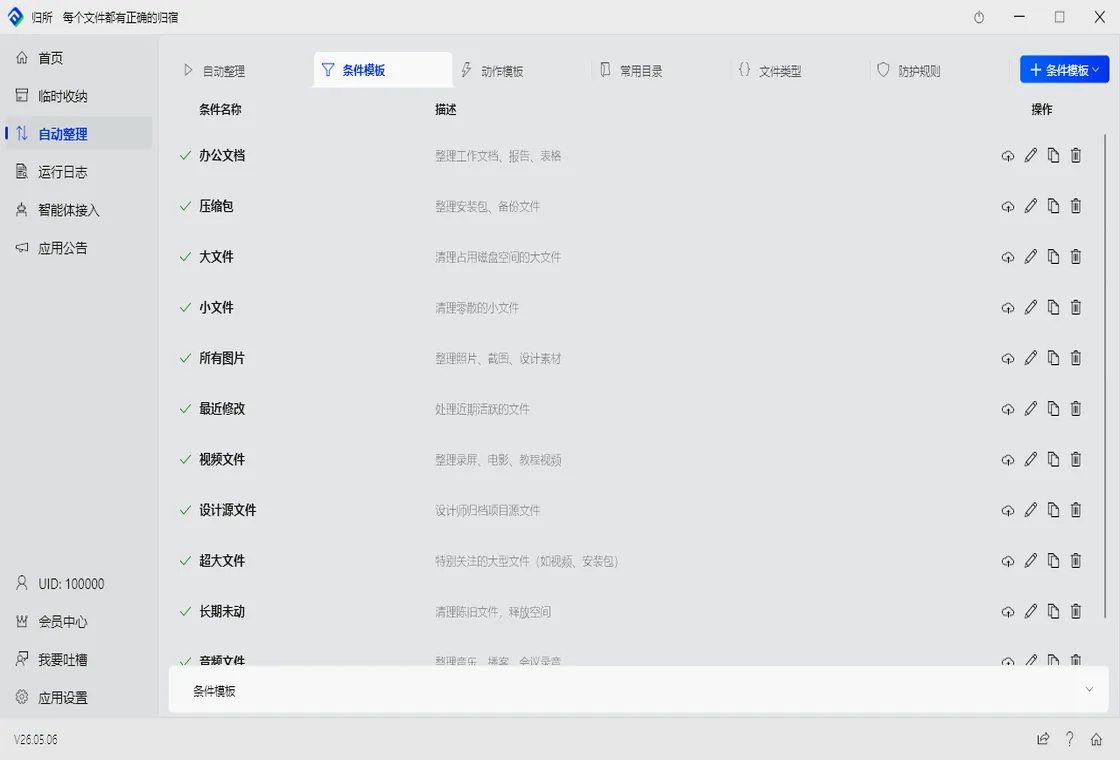
Section titled “Step 2: Create Document Organization Rules”Open FinalPlace and create a rule. Example: auto-move all contract documents to Documents/Contracts:
- Condition: filename contains “contract” AND extension =
.docx,.pdf - Source: Desktop, Downloads
- Action: Move to
D:\Documents\Contracts\
You can build more granular rules too:
- Invoice files (contains “invoice” +
.pdf.jpg) →D:\Finance\Expenses\ - Project documents (contains project name +
.docx.xlsx) →D:\Projects\{project-name}\ - Monthly reports (
.xlsx+ created this month) →D:\Reports\{year}\{month}\
Step 3: Set Up Scheduled Execution
Section titled “Step 3: Set Up Scheduled Execution”Once rules are created, set them to run hourly or on file change. From now on, each new contract PDF auto-lands in the Contracts folder — renamed according to your rules.
You never need to remember to organize. You never need to remember folder paths. Documents find their own way home.
Real-World Scenario: Finding Every Invoice in 5 Seconds
Section titled “Real-World Scenario: Finding Every Invoice in 5 Seconds”Before: finding invoices for month-end reimbursement was a treasure hunt. Desktop, Downloads, WeChat file directory — check them all, one by one.
After: open Finance/Expenses. Every invoice PDF and screenshot is neatly lined up, sorted by date. One glance, and you’ve found all the reimbursement files for the month.
From 15 minutes to 5 seconds. That’s what automatic organization actually means.
Who Needs Automatic Document Organization Most?
Section titled “Who Needs Automatic Document Organization Most?”Finance / Admin staff: Invoices, contracts, reports, reimbursement forms — dozens of documents pass through daily. Manual sorting is slow and error-prone. One auto-rule puts every type of document into its correct archive.
Project managers: Project plans, meeting minutes, progress reports, acceptance documents — dozens of files per project, often juggling multiple projects simultaneously. Auto-sort by project name eliminates the chaos of cross-project document management.
Students: Research papers, lecture PDFs, assignment files — finding materials at the end of semester is a nightmare. Auto-sort by course name means no more panic during finals week.
Want to learn more? Explore FinalPlace’s features
Related reading: How to Automatically Organize Computer Folders
Questions? Visit the help center or email service@yynote.cn